

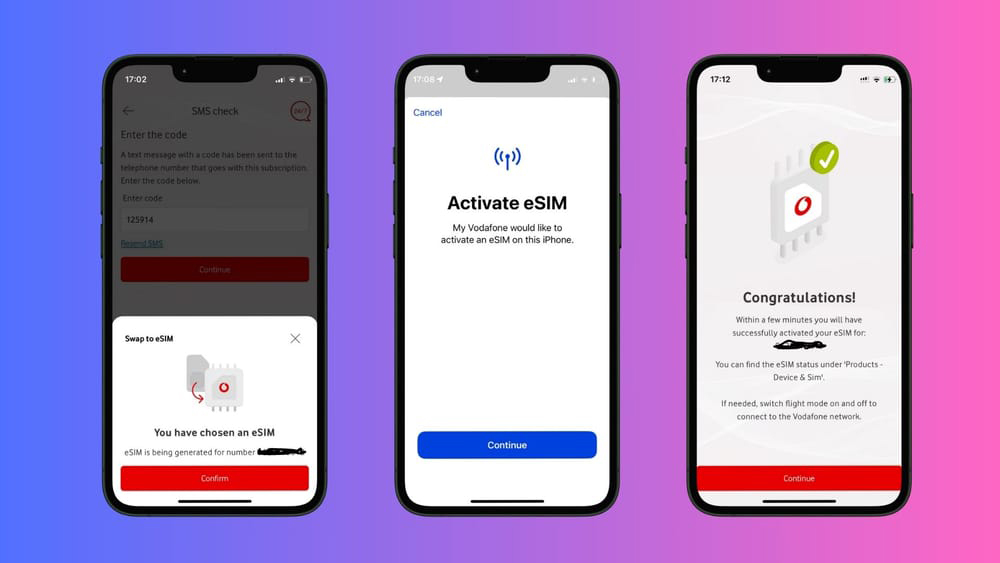
Gone are the days when swapping SIM cards meant fiddling with tiny trays.
Today’s smartphones increasingly support eSim, a digital SIM embedded into your device that can be programmed over the air. In Eswatini, the transition is possible, but depends on your provider and device. Here’s how to make the switch, Eswatini-style.
What is an eSIM?
An eSIM (embedded SIM) lives inside your phone and can store one or more mobile profiles.
Unlike physical SIMs, you never eject it, you simply download carrier credentials. The benefit? Instant switching between providers, no lost or damaged SIMs and flexibility when travelling.
Are eSIMs supported in Eswatini?
Yes, though adoption is still growing. It’s essential to check with MTN Eswatini or Eswatini Mobile, whether they support eSIM migration.
How to convert a Physical SIM to eSIM
- Confirm your device supports eSIM (many iPhones, Pixels, newer Samsung phones do).
- Ask your operator if they can convert your existing SIM to an eSIM while keeping your number.
- Make sure you have Internet access during setup.
- Once installed, toggle the new eSIM line on and set it as active for data, calls or SMS
- Test by making a call, sending an SMS or browsing the internet.
- Before switching, visit your carrier’s service centre, Eswatini Mobile and MTN Eswatini office and ask whether they support migration of your number to eSIM. Some carriers.
- Switching to an eSIM modernises your mobile experience, no more SIM fumbling, no waiting for cards.
- While in Eswatini you might face provider limitations, the path is open.
- Ask your carrier if eSIM conversion is supported and if not, enjoy hybrid usage with data eSIMs and a physical voice line.
Wherever connectivity takes you next, connect smarter.















Leave a comment